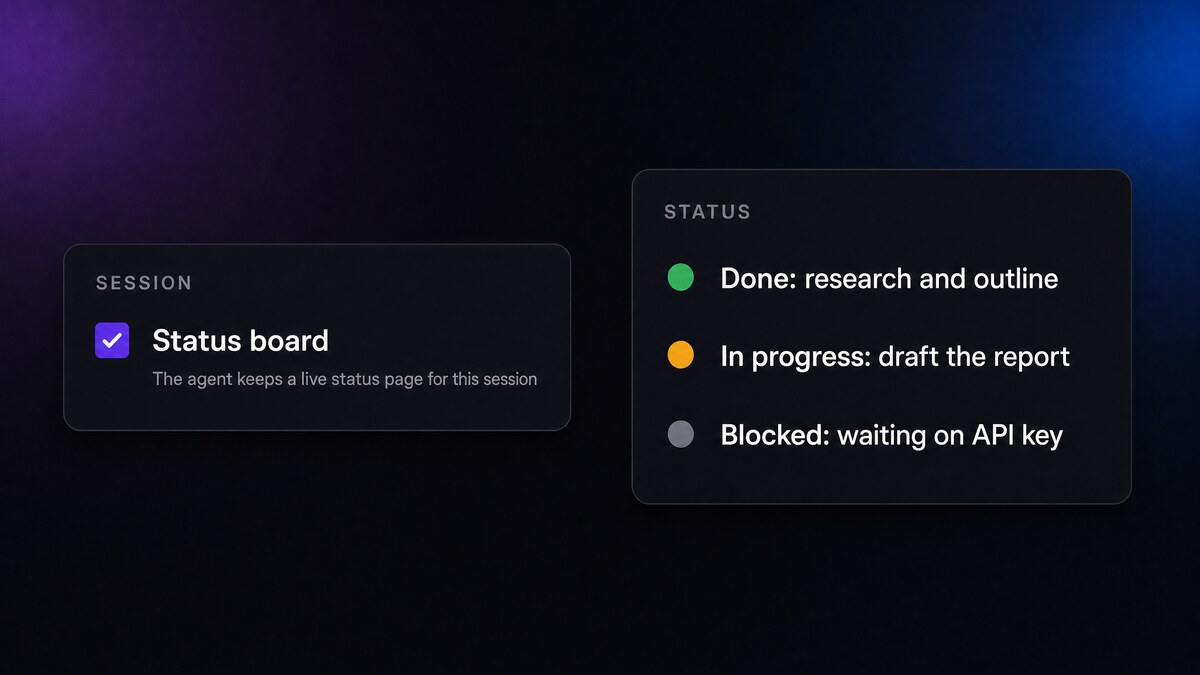
When an agent works on something long, a multi-step build, an overnight run, a coordinator directing several workers, it can be hard to tell where things stand without reading the whole transcript. Status Boards fix that. Turn one on, and the agent keeps a single, always-current status artifact for the session that you can check at a glance.
What it does
With Status Boards enabled, the agent maintains one dedicated status artifact for the session and keeps it up to date as work progresses. Instead of scrolling a long conversation to work out what is done, what is in progress, and what is blocked, you open one page that always reflects the current state.
The board is designed to stay honest and current. The platform gently reminds the agent to refresh it, and that reminder grows more insistent the more stale the board gets, so it does not quietly fall behind on a long run.
How to turn it on
It is a per-session toggle, found in the session's details panel: Status board. It is on by default for your regular sessions, and off for background and delegated ones where it would just add noise. You can flip it for any individual session.
Once enabled, the board pins to the front of the session's artifact panel, so it is always the first thing you see. There is nothing else to configure. The agent picks up the discipline automatically.
Where it fits
Status Boards are most useful for:
- Long autonomous runs, where you check in periodically rather than watching every step.
- Coordinator sessions, where one agent is directing several workers and you want a single place that summarises the whole effort.
- Anything you hand off and come back to later, so your first look is a clean summary, not a wall of history.
For quick, back-and-forth sessions it is easy to switch off, and it stays off automatically for background and delegated work.
Availability
| Fact | Value |
|---|---|
| Availability | All CRHQ satellites |
| Live since | 2026-09-04 |
| Default | On for regular sessions, off for background and delegated ones. Toggle per session |
| Client action required | None |