CRHQ can now watch connected Claude Pro/Max subscriptions and automatically rotate to the account with the most headroom before usage limits interrupt agent work.
What is new
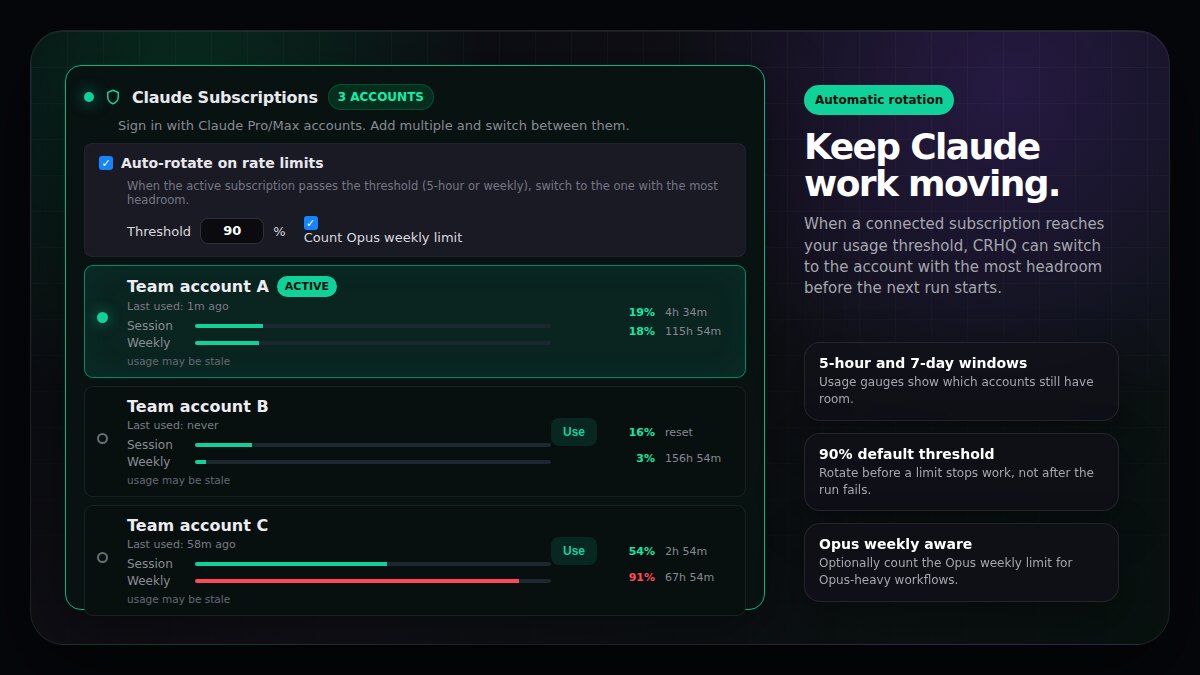
Auto-rotate on rate limits. Turn on automatic rotation for connected Claude subscriptions.
Set the threshold. The default is 90%. When the active subscription passes the threshold, CRHQ looks for a better account to use.
Watch the right windows. Rotation checks 5-hour and 7-day usage. For Opus-heavy work, you can also count the Opus weekly limit.
Pick the account with headroom. CRHQ switches to the eligible subscription with the lowest current usage, rather than blindly cycling through accounts.
Fail over when a cap is hit. If a provider limit error happens during a run, CRHQ can cool down the exhausted account, switch to the best available account, and retry once.
Why it is useful
Fewer stalled agent runs. Long-running work can continue on another connected account instead of stopping at the first limit.
Less manual babysitting. You do not have to keep checking which subscription is safe to use next.
Better Opus planning. If Opus usage is the scarce resource, the weekly Opus limit can be part of the rotation decision.
How to use it
- Open Settings, then AI Models.
- Connect at least two Claude subscriptions.
- In Claude Subscriptions, enable Auto-rotate on rate limits.
- Keep the threshold at 90%, or choose the cutoff you prefer.
- Leave Count Opus weekly limit enabled if Opus availability matters for your workflows.
Once enabled, CRHQ checks usage before Claude work starts and keeps the active subscription pointed at the best available account.