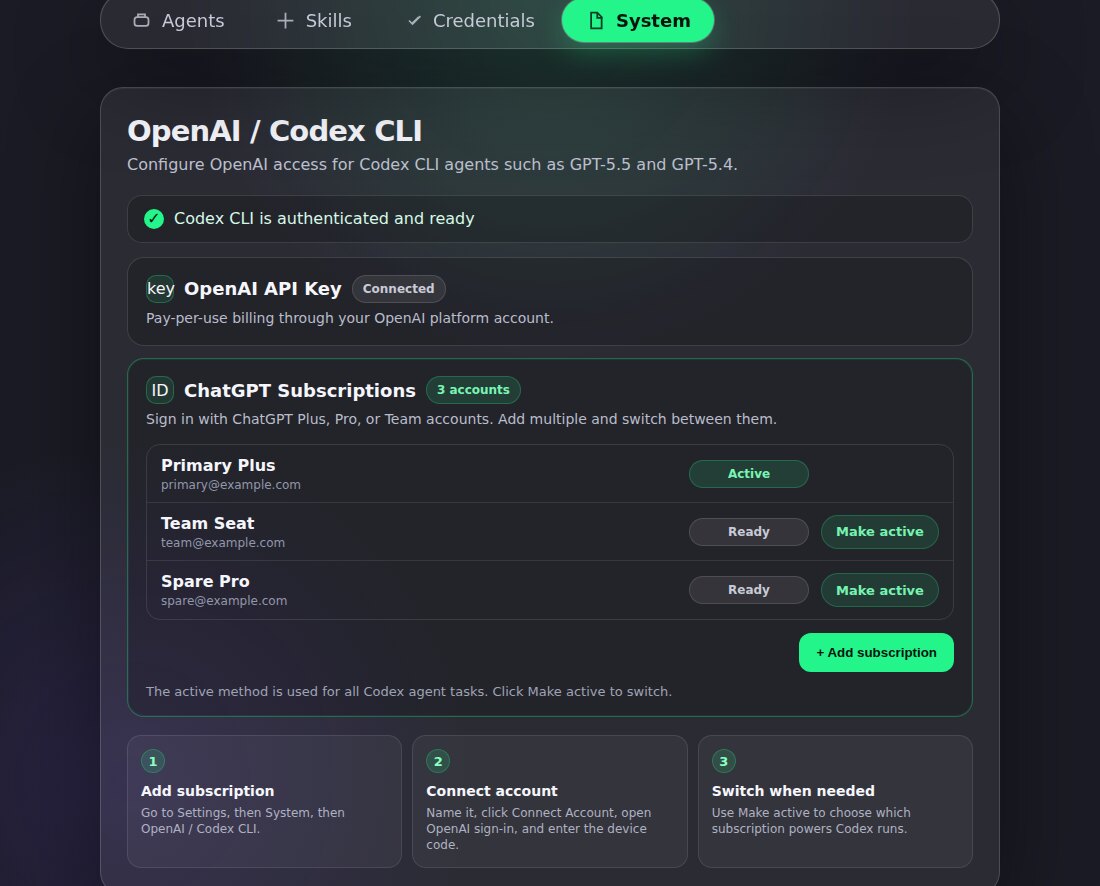
CRHQ satellites can now connect more than one ChatGPT subscription for Codex and switch which account is active.
What is new
Add multiple subscriptions. Connect more than one ChatGPT account by device sign-in.
Choose the active account. Use Make active to decide which subscription powers Codex runs.
Keep API key support. API key setup remains available. If both API key and subscriptions are configured, Settings shows which method is active.
How to use it
Open Settings, then System, then OpenAI / Codex CLI. Under ChatGPT Subscriptions, click Add subscription, connect the account, then use Make active when you want Codex to run through a different connected subscription.