Satellite admins can now set local model defaults across providers. This gives each satellite more control over which model runs which agent.
What is new
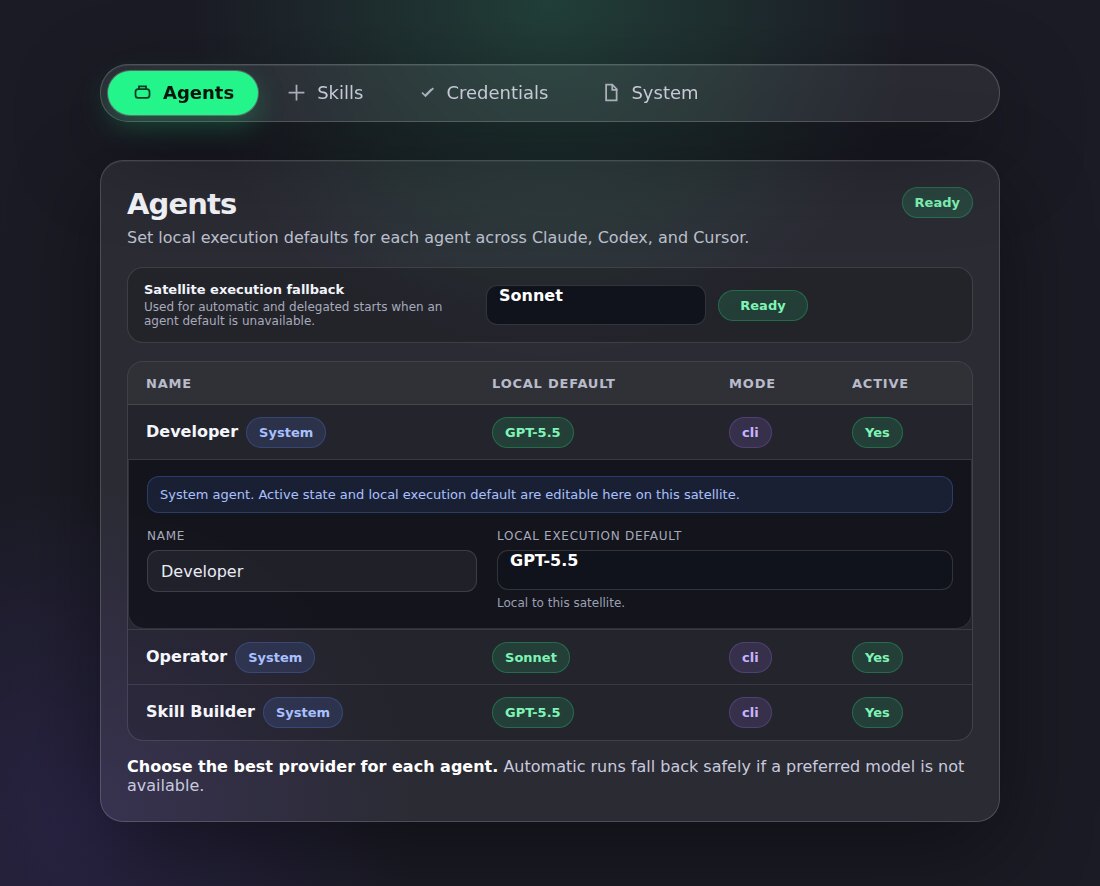
Set the preferred model for each agent. Choose the model that fits the agent's job. For example, keep Operator on Sonnet and Developer on GPT-5.5.
Set a satellite fallback. If a preferred model is unavailable, the agent can fall back to the satellite's global execution fallback.
Keep choices local. These settings live on the satellite, so admins can tune their own execution setup without changing the global system agent definition.
How to use it
Open Settings, then Agents. At the top, set the Satellite execution fallback. Then open any system agent row and choose its Local execution default.