A lot shipped across CRHQ over the past ten days. The headline is Workspaces, but there is more worth knowing. Here is the full picture. Everything below is already live on your instance, and none of it needs any action from you.
Boards are now Workspaces
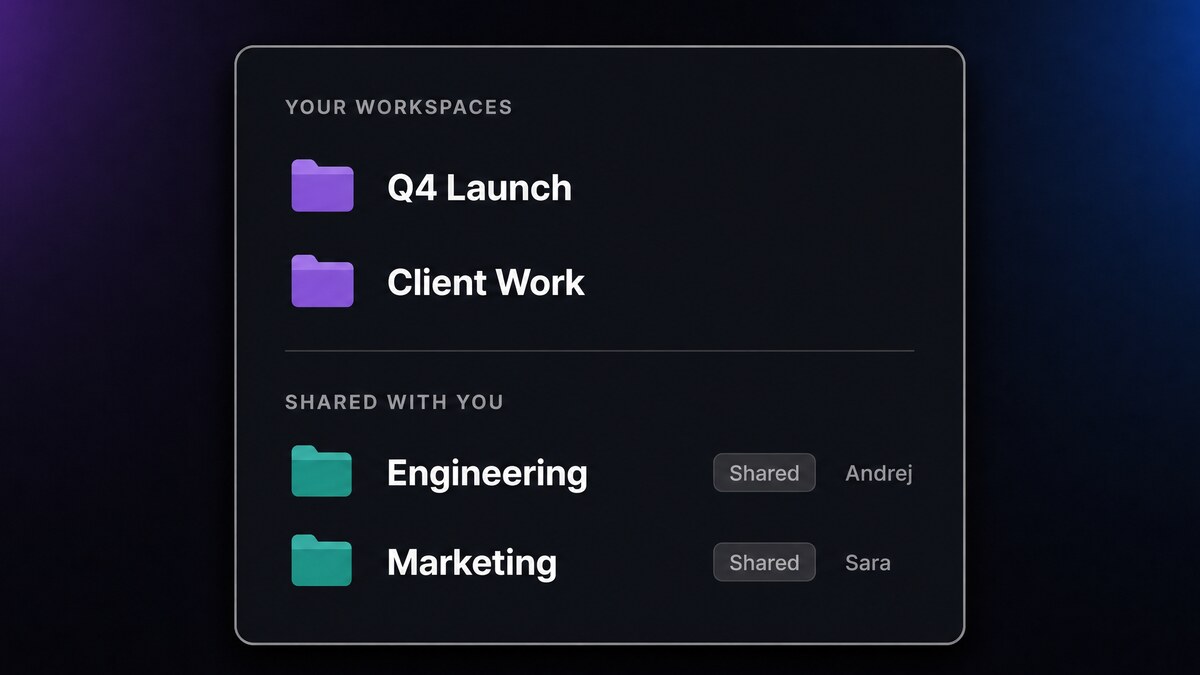
The pinboard you use to organise your sessions has a new name and one important new capability. It is the same page in the same place, now called a Workspace, and each one is private to you by default.
Private by default. Every existing board became a private workspace of whoever created it. Nobody else can see it, not even an admin. Nothing about your current setup changed, your boards are simply yours now.
Share with your server. When you create or edit a workspace, you can choose Everyone on this server. A shared workspace shows up for your teammates under a "Shared with you" group in the switcher, with a shared badge and your name as the owner.
Working together. On a shared workspace, anyone can pin and unpin sessions. Only the owner or an admin can rename it, change whether it is shared, or delete it.
Deliberate by design. New users no longer get an auto-created "My Board". Instead you get a clean "No workspaces yet, create one" starting point, and you are free to delete your last workspace. Having none is a perfectly valid state.
The rename and the privacy migration were automatic and silent. You did not lose anything, and there was nothing to do.
Instant agent creation
You can now create a new agent in seconds, right from the New Session dialog, instead of going to a separate setup flow. Give it a name and an optional description and it is ready to use immediately. It is the fastest way yet to spin up a specialist for a one-off job.
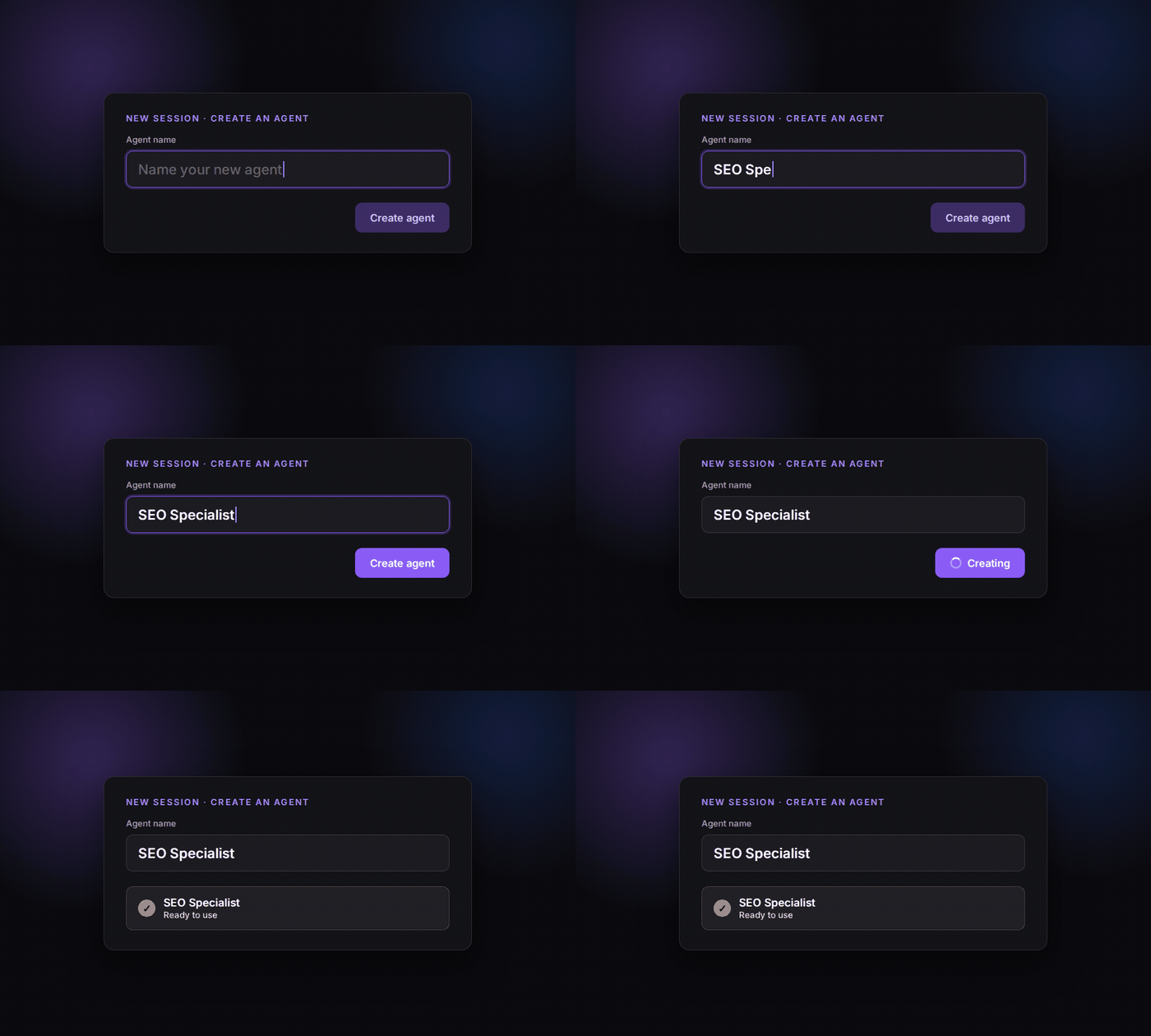
The agent picker was also reorganised. Agents are now grouped into clear tiers, your agents, CRHQ's built-in agents, and system agents, so the list stays readable as your roster grows.
Switch providers mid-session
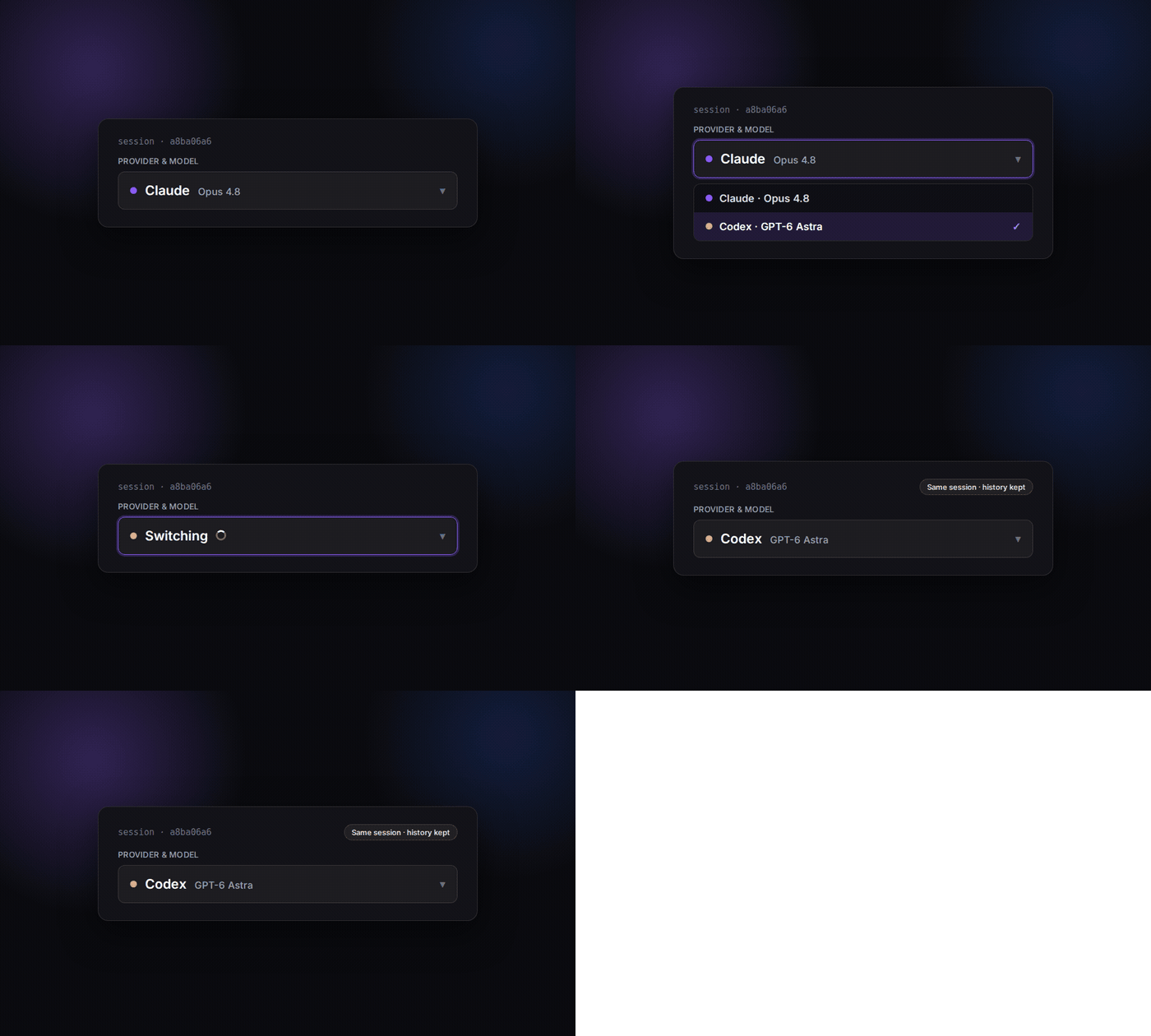
You can now switch a running session to a different model provider without starting over. The session keeps its id, so its teams, artifacts, scheduled jobs, delegations, and full history all carry on untouched. If you start something on one provider and decide another is a better fit, you no longer have to abandon the session to move it.
A cleaner AI Models settings area
Settings, then AI Models, was rebuilt onto a single shared panel with a left sidebar and a new Overview tab that surfaces your costs at a glance. It is easier to see what you are running and what it is costing you, all in one place. The redesign also fixed several mobile layout issues across Settings.
Also shipped
- Status Boards are now on by default for your regular sessions (and off for background and delegated ones, where they would just add noise). When we introduced them, they were off by default. Enough people found them useful that we flipped the default. You can still toggle any individual session.
- More accurate Codex cost tracking. We fixed a set of cases where some Codex turns reported $0, and recovered their real token usage. Your Codex costs now reflect what actually ran.
- A more capable Platform API. For those building on CRHQ, the API kept maturing with no breaking changes: projects are now part of the contract, scoped keys can discover available models, scheduled runs return a durable receipt, and peer-to-peer agent messages are now sender-verified.
- Hardened credential handling. Under the hood, we tightened how third-party credentials are stored, read, and used, including masked reads and an automated leak scanner, so secrets stay secret.
For integrators
The canonical API path is now /api/workspaces. The old /api/boards keeps working unchanged, it is literally the same router mounted under both names, so nothing can drift and no integration breaks. Workspace objects now carry visibility (private or server), ownerId, and isOwn. A private workspace you do not own returns a 404, so ids never leak.
Availability
| Fact | Value |
|---|---|
| Availability | All CRHQ satellites |
| Live since | 2026-09-15 |
| Client action required | None. All changes are automatic |
| Migration | Every existing board became a private workspace, silently |