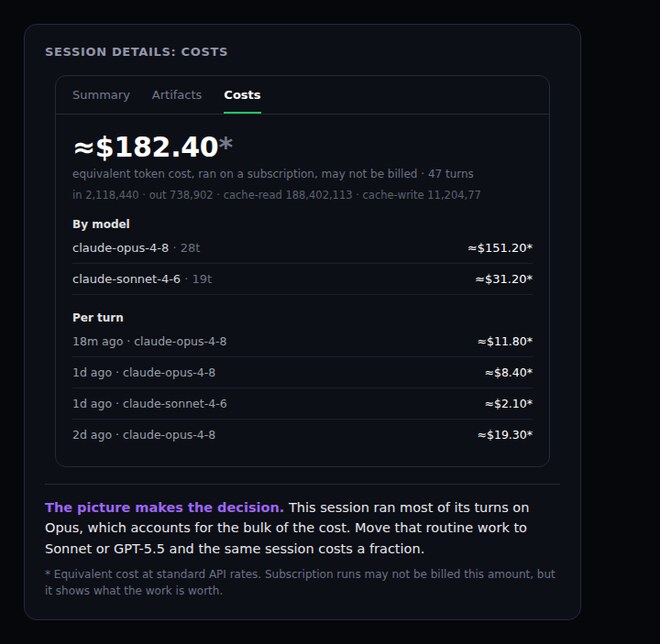
CRHQ now shows what each agent session costs, down to the model and turn. Open Session Details and go to Costs to see the full breakdown.
What is new
Equivalent token cost. CRHQ tracks the cost of the model usage behind each session, even when the session is running through a subscription.
Breakdown by model. See which models contributed to the total, so you can spot when an expensive model is doing work that a cheaper model could handle.
Breakdown by turn. Review individual turns to understand where a session became expensive and which prompts or tool calls drove the cost.
Why it matters
Model routing only works if you can see the tradeoffs. The Costs panel makes it easier to keep routine work on cheaper models and reserve high-end models for the work that actually needs them.
How to use it
Open any session, go to Session Details, then select Costs.