There is a new System entry in your main navigation. It opens the Control Room for your CRHQ server: one place to set things up, see how the server is doing, and keep it healthy. The idea is simple. You should not have to be an operator to run a healthy server. You just ask.
Meet the Concierge
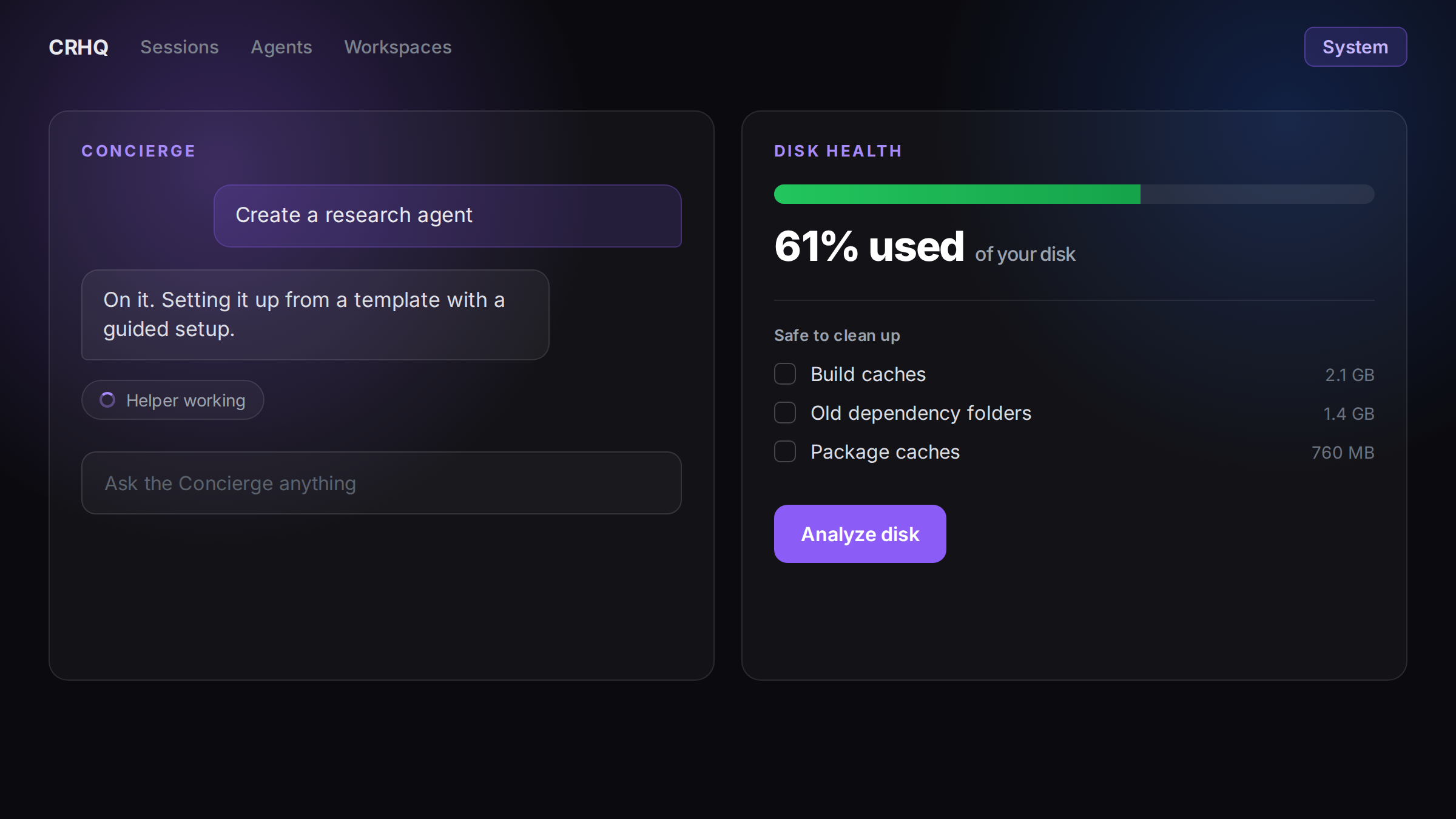
On the left of the System page is the CRHQ Concierge, a chat assistant for the server itself. Instead of hunting through settings, you tell it what you want and it does the work the right way:
- Create a new agent, set up properly. The Concierge builds new agents from proven templates with a guided setup, so a new agent starts with sensible instructions rather than a blank page.
- Connect your integrations. Ask it to hook up the services you use, and it walks you through it.
- Understand your server. Ask what is running, what an agent does, or how something is set up, and it explains in plain language.
- It brings in specialists when needed. For deeper work, the Concierge quietly hands the task to a helper agent and shows a small "working" indicator while that runs, then brings the result back to you.
Keep your server healthy
On the right of the page are health tools, each on its own tab.
Server Health. Run a health check on demand and get a clear report, including any incidents worth knowing about.
Disk Health. A usage meter and trend show how much space you are using and where it is heading. A daily read-only check quietly looks for safe things to clean up, build caches, old dependency folders, package caches, and logs, and suggests them. An Analyze disk button produces a full, branded report, and your reports are saved on the tab so you can look back.
Nothing is ever removed on its own. The tools only ever suggest. You tick the items you want cleared and confirm, and anything that can be restored goes to a trash first, so a cleanup is always reversible.
A heads-up before it matters
If your disk starts getting full, a banner appears across the app: amber as it approaches full, and red when it is nearly there. Clicking it takes you straight to Disk Health so you can act before it becomes a problem.
Also coming to System
The System page is built to grow. Alongside the Concierge and the health tabs, you will see Overview, Plugins, Security, and Advisor marked as coming soon. We will announce each as it lands.
Safe by design
Two principles run through all of it. First, you should be able to just ask, in plain language, and have the server set itself up correctly. Second, nothing destructive ever happens without your explicit click, and reversible actions can be undone. The System page is there to make running your CRHQ server easier, not riskier.
Availability
| Fact | Value |
|---|---|
| Availability | Every CRHQ server |
| Live since | 2026-09-25 |
| Client action required | None. Open System from the navigation whenever you like |